
Microsoft Designer
A user-friendly graphic design tool for everyone.
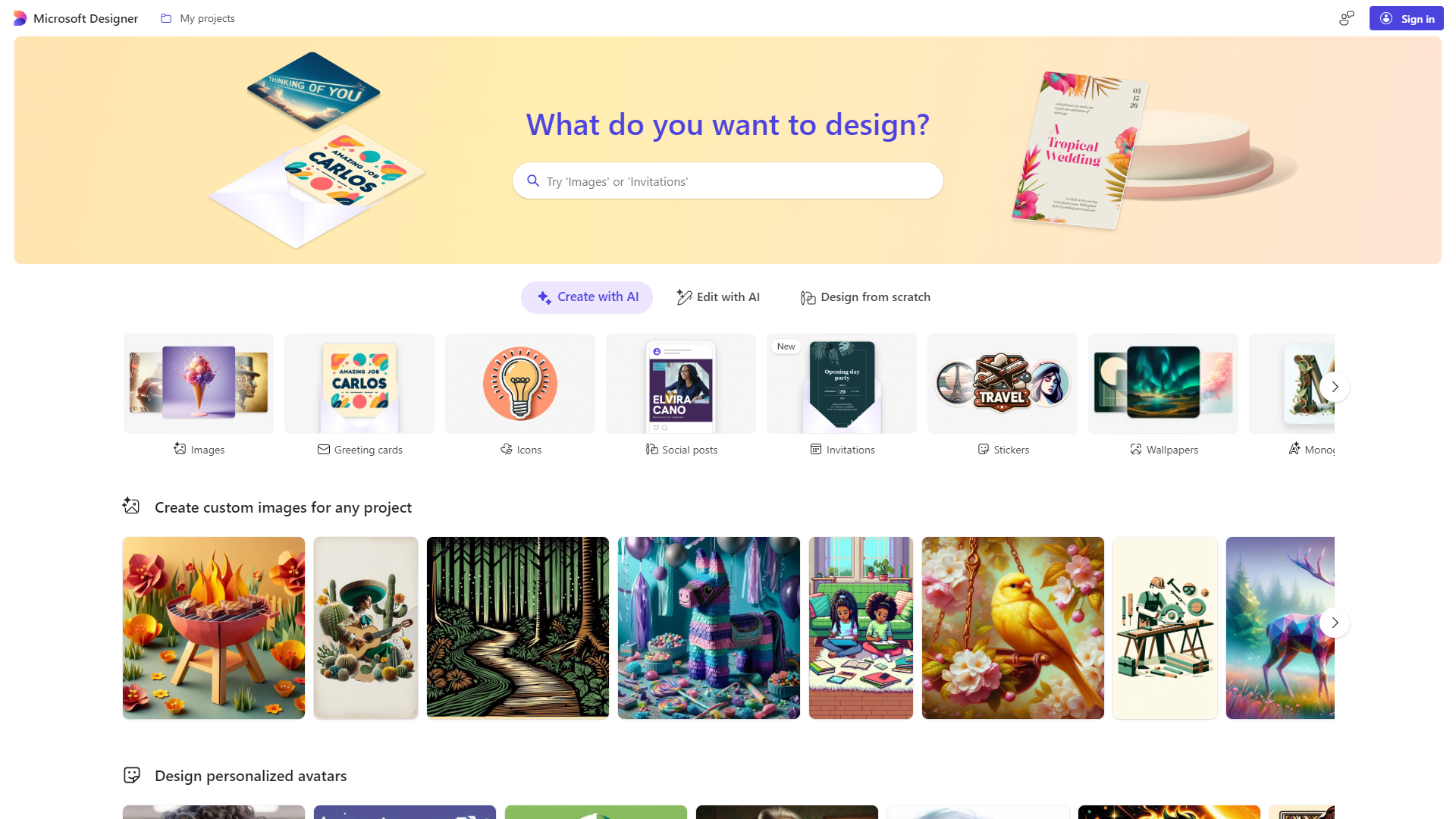
Overview
Microsoft Designer is a powerful graphic design application that brings creativity to your fingertips. It allows users of all skill levels to create stunning visuals easily with its intuitive interface and smart design features. Whether you're designing for social media, presentations, or personal projects, Microsoft Designer can help bring your ideas to life with style and flair.
Key features
Easy-to-use Interface
Allows even beginners to navigate and create designs effortlessly.
Intelligent Design Suggestions
Offers smart design suggestions based on your content, making it easier to achieve a professional look.
Templates for Every Occasion
A wide range of pre-made templates for social media, events, and more, saving you time on design.
Collaboration Tools
Allows real-time collaboration with others, making team projects smooth and efficient.
Image Editing Options
Offers built-in image editing tools to customize photos or graphics without needing extra software.
Integration with Microsoft Office
Seamlessly integrates with other Microsoft applications like Word and PowerPoint for added convenience.
Customizable Graphics Elements
Lets users tweak colors, fonts, and layouts easily for a personalized touch.
Export in Various Formats
Supports multiple formats for exporting your designs, ensuring compatibility with various platforms.
Pros & Cons
Pros
- User-Friendly
- Time-Saving
- Flexible
- Collaboration Friendly
- Microsoft Integration
Cons
- Limited Advanced Features
- Internet Dependency
- Learning Curve for Some Tools
- Subscription Requirement
- Lack of Native Mobile App
Feature Ratings
Based on real user reviews, here's how users rate different features of this product.
Image Generation
Based on 16 Microsoft Designer reviews. Utilizes artificial intelligence algorithms to generate high-quality images.
Based on 16 reviewsBased on 16 Microsoft Designer reviews. Generate images based on specific text prompts or keywords.
Based on 16 reviewsBased on 16 Microsoft Designer reviews. Provides customization options for users to control the style, composition, or color palette of the generated images.
Based on 16 reviewsGives the user the ability to specify the level of chaos or variation in the generated images. This feature was mentioned in 16 Microsoft Designer reviews.
Based on 16 reviewsSupports different aspect ratios for image generation. 15 reviewers of Microsoft Designer have provided feedback on this feature.
Based on 15 reviewsAdvanced Functionality
Provides tools for adjusting the balance between image prompts and text prompts. This feature was mentioned in 15 Microsoft Designer reviews.
Based on 15 reviewsBased on 15 Microsoft Designer reviews. Provides negative prompting features to remove specific elements, such as plants, from the generated images.
Based on 15 reviewsAs reported in 15 Microsoft Designer reviews. Gives the user the ability to specify a seed number for consistent image generation.
Based on 15 reviewsAs reported in 15 Microsoft Designer reviews. Produces high quality images.
Based on 15 reviewsModel
As reported in 16 Microsoft Designer reviews. Has options available to switch between different image generation models.
Based on 16 reviewsHas options to add or select image styles. This feature was mentioned in 16 Microsoft Designer reviews.
Based on 16 reviewsGenerates seamless tileable images for creating patterns or textures. This feature was mentioned in 16 Microsoft Designer reviews.
Based on 16 reviewsRating Distribution
User Reviews
View all reviews on G2A good tool for easy designing
What do you like best about Microsoft Designer?
Microsoft Designer is free to use at the moment and helps to create stunning images, designs and background pictures with in a few clicks. It is user friendly and it works quickly on commands. As soon as instructions are given, it quickly generates images and make presentations more impressive. It can be easily connect with powerpoint and can design better templates for PPTs. MD as it's easy to access even students of small ages could showcase their creativity in projects as well. I have been frequently using it for each classes and it helped me to create images, posters, small video animations accroding to diffrent ocassions like festivals etc, without having much designing skills.
What do you dislike about Microsoft Designer?
As it is a basic designing tool, the images generated looks more of like an anime.
Sometimes, the web app takes time to load and have to wait to see the previews.
What problems is Microsoft Designer solving and how is that benefiting you?
It helps me to create more visually appealing PPTs and images for teaching students.
Designing presentation was time consuming process, but the use of Microsoft Designer helps to get the work done with in a blink of time. I' have been using it for my personal purposes aswell including designing youtube channel thumb nail, Intsta posts etc. Since it is a very user friendly tool, I have advised my students to use it for thier projects and presentations.
Microsoft Designer- An Extraordinary Device to Exploit in the MSFT Suite
What do you like best about Microsoft Designer?
It very simple to learn. It is extremely extraordinary platform to learn new things. We can conduct meeting and connected google structures. It has so many extraordinary component which we were utilized in our company. We led tests and offer google fra...
When confused use MS Designer
What do you like best about Microsoft Designer?
There are many things that I really like about Microsoft Designer. Right after college I started my own thing and required a logo to put.
There were many providers but Microsoft being the best provided the right thing. We made a logo and made some post...
Best for makers and originators
What do you like best about Microsoft Designer?
The best thing I like about Microsoft Planner is that it is simulated intelligence fueled apparatus, which is extraordinary choice for organizations to make top notch introductions, realistic posts. It is easy to use and simple to utilize programming. ...
a game changer for any designer
What do you like best about Microsoft Designer?
i loved being able to see designs from a whole other perspective and because of this ive been able to create incredible and outstanding designs. I use it every single day at this point. It was easy to learn. Easy to teach to my boss. My team uses it an...
Company Information
Alternative Ai Image Generators tools


FAQ
Here are some frequently asked questions about Microsoft Designer.
Microsoft Designer is a graphic design application that helps users create various visual content easily.
Anyone can use Microsoft Designer, from beginners to experienced designers.
No, Microsoft Designer is designed to be user-friendly, so you don't need any design skills to create great visuals.
Yes, Microsoft Designer allows real-time collaboration, making it easy to work with others.
You can create social media posts, invitations, flyers, presentations, and more.
Currently, there is no dedicated mobile app for Microsoft Designer.
Basic features are available for free, but some advanced functions may require a subscription.
Yes, you can export your designs in various formats, ensuring compatibility with different platforms.