
Notion
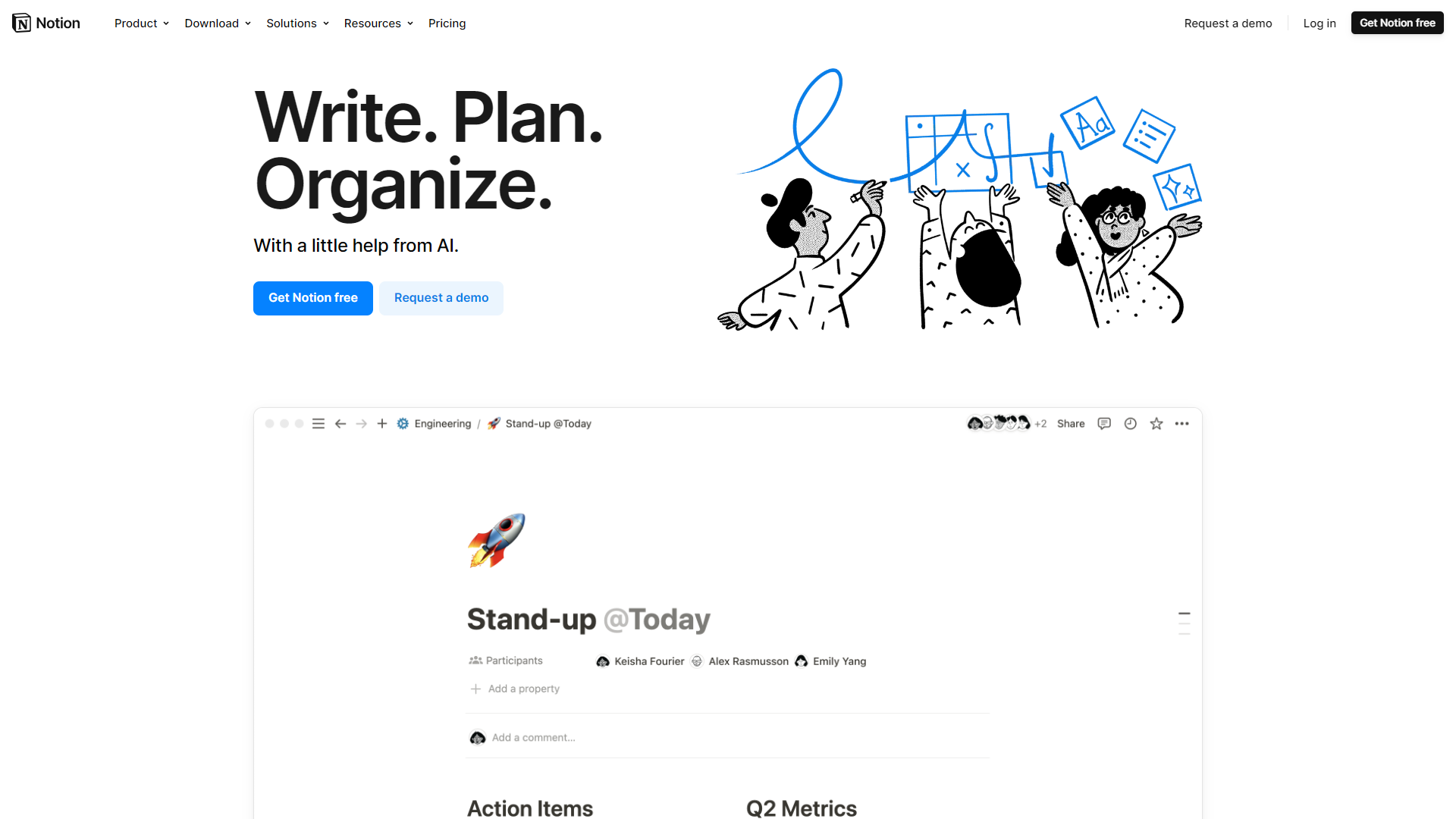
Notion is an all-in-one workspace for note-taking and project management.
Overview
Notion is a versatile tool that brings together your notes, tasks, databases, and projects into one platform. It enables users to personalize and organize their work efficiently. With its user-friendly interface, Notion helps individuals and teams maintain clarity and structure in their workflows.
Pricing
| Plan | Price | Description |
|---|---|---|
| Free | Free | For organizing every corner of your work & life. |
| Plus | Starting at $8.00 | A place for small groups to plan & get organized. |
| Business | Starting at $15.00 | For companies using Notion to connect several teams & tools. |
| Enterprise | Contact Us | Advanced controls & support to run your entire organization. |
| Optional Add-on: AI | Starting at $8.00 | Leverage the power of AI right inside Notion, across all your notes and docs. |
Key features
Customizable Templates
Notion offers a wide range of templates that you can customize to fit your needs, making it easy to start any project.
Real-time Collaboration
Team members can work together in real-time, allowing for seamless communication and quicker project completion.
Databases
You can create databases to manage information in an organized way. This feature allows you to track projects, tasks, and notes with ease.
Markdown Support
Notion supports Markdown, enabling you to format your notes quickly and efficiently.
Task Management
It provides tools to assign tasks, set deadlines, and track progress, ensuring you stay on top of your projects.
Multi-platform Access
You can access Notion from any device, including desktops and mobile devices, ensuring you can work anytime and anywhere.
Integration Capabilities
Notion can integrate with various applications, enhancing its functionality and making it part of your existing workflow.
Web Clipper
The Notion Web Clipper allows you to save any webpage directly to your Notion workspace for easy access later.
Pros & Cons
Pros
- User-Friendly Interface
- Highly Customizable
- All-in-One Solution
- Great for Teams
- Regular Updates
Cons
- Learning Curve
- Limited Offline Access
- Performance Issues
- Pricing for Teams
- Search Functionality
Feature Ratings
Based on real user reviews, here's how users rate different features of this product.
Tasks
Create and assign tasks for individual users with details and due dates. 2528 reviewers of Notion have provided feedback on this feature.
Based on 2528 reviewsSet deadlines and milestones for tasks, manually or automatically (based on project templates). This feature was mentioned in 2467 Notion reviews.
Based on 2467 reviewsBased on 2558 Notion reviews. Set priority levels on tasks so individuals can organize their work.
Based on 2558 reviewsEach user can view their list of tasks to be completed without having access to other tasks. This feature was mentioned in 2666 Notion reviews.
Based on 2666 reviewsAs reported in 1951 Notion reviews. Define dependencies between tasks and the rules to manage them.
Based on 1951 reviewsAllows users to update multiple tasks at the same time, accross multiple projects. 1745 reviewers of Notion have provided feedback on this feature.
Based on 1745 reviewsUsers can move tasks and change dependencies using drag and drop. 2468 reviewers of Notion have provided feedback on this feature.
Based on 2468 reviewsDefine recurring tasks that can be scheduled automatically at pre-defined intervals. This feature was mentioned in 2105 Notion reviews.
Based on 2105 reviewsProjects
Based on 2383 Notion reviews. Plan and create work breakdown structure (WBS) based on the scope of the project.
Based on 2383 reviewsAs reported in 2010 Notion reviews. Projects can be mapped out with milestones, due dates, deliverables and interdependencies.
Based on 2010 reviewsBased on 1439 Notion reviews. Provide visual representations of tasks, dependencies, and progress.
Based on 1439 reviewsPlanned projects are mapped to a schedule with due dates and deliverables detailed day-by-day. 2236 reviewers of Notion have provided feedback on this feature.
Based on 2236 reviewsAs reported in 2143 Notion reviews. Create customized project views for internal and external purposes (eg: for customers).
Based on 2143 reviewsBased on 1509 Notion reviews. Associate a budget with a project and allocate it accordingly by task or resource.
Based on 1509 reviewsTrack issues at the project or task level, and manage resolutions. This feature was mentioned in 1622 Notion reviews.
Based on 1622 reviewsAs reported in 2320 Notion reviews. Provide standards templates that can be customized by users to create new projects.
Based on 2320 reviewsAs reported in 1297 Notion reviews. Automatically calculate the critical path for projects and update it when projects change.
Based on 1297 reviewsBased on 1558 Notion reviews. Track time and expenses associated with projects or tasks.
Based on 1558 reviewsSupport agile and waterfall project management methodologies. 1475 reviewers of Notion have provided feedback on this feature.
Based on 1475 reviewsResource Management
Based on 1767 Notion reviews. Create human and material resources and categorize them based on skills and other criteria.
Based on 1767 reviewsAs reported in 1836 Notion reviews. Monitor capacity in real time to track resource use and identify bottlenecks.
Based on 1836 reviewsAllocate resources by matching capacity and demand, by project, team, or department. 2101 reviewers of Notion have provided feedback on this feature.
Based on 2101 reviewsProject Monitoring
As reported in 1387 Notion reviews. Track key performance indicators or baseline assessments throughout project lifecycle or across multiple projects.
Based on 1387 reviewsBased on 1454 Notion reviews. Monitor resource allocation to identify shortages and adjust accordingly.
Based on 1454 reviewsAs reported in 2047 Notion reviews. Deliver dashboards that display project data and KPIs in real time.
Based on 2047 reviewsGrammar
Based on 2684 Notion reviews. Checks for grammar errors like misspellings, sentence run-on, etc.
Based on 2684 reviewsEvaulates emotional tone of words written. 2477 reviewers of Notion have provided feedback on this feature.
Based on 2477 reviewsBased on 2646 Notion reviews. Ensures sentences are formatted properly.
Based on 2646 reviewsFormatting
Based on 1431 Notion reviews. Checks for instances of plagirism.
Based on 1431 reviewsAs reported in 2223 Notion reviews. Evalutes that work has been done within the guildlines of a given writing style (MLA, APA, Chicago, etc.).
Based on 2223 reviewsAs reported in 1444 Notion reviews. Finds and formats citations for works mentioned.
Based on 1444 reviewsContent
Recommends ideas for topics based on the content written. This feature was mentioned in 2296 Notion reviews.
Based on 2296 reviewsBased on 2550 Notion reviews. Generates sentences, paragraphs, or papers based on sample text or a topic.
Based on 2550 reviewsBased on 1704 Notion reviews. Generates a form based on information presented.
Based on 1704 reviewsProduct Type
As reported in 1949 Notion reviews. Application is available as a standlone product.
Based on 1949 reviewsBased on 1339 Notion reviews. Application is available as a plugin used with another document creation product.
Based on 1339 reviewsKnowledge Pages
Based on 2208 Notion reviews. Provides pre-made templates for wiki pages and knowledge articles.
Based on 2208 reviewsAs reported in 1638 Notion reviews. Allows users to leave feedback within a wiki page or knowledge article.
Based on 1638 reviewsAllows users to comment on wiki pages or knowledge articles. 2023 reviewers of Notion have provided feedback on this feature.
Based on 2023 reviewsAllows users to see version history and return to previous versions of wiki pages. 1777 reviewers of Notion have provided feedback on this feature.
Based on 1777 reviewsAs reported in 1208 Notion reviews. Detects any creation of already existing knowledge pages and alerts user
Based on 1208 reviewsAs reported in 1918 Notion reviews. Enables users to create rich knowledge pages with a combination of text, charts, images, video and audio
Based on 1918 reviewsKnowledge Dissemination
Allows administrators to provide permissions and gate pieces of content based on role. This feature was mentioned in 1740 Notion reviews.
Based on 1740 reviewsAs reported in 2135 Notion reviews. Offers additional tools that facilitate knowledge sharing and collaboration.
Based on 2135 reviewsBased on 2011 Notion reviews. Notifies users when changes occur.
Based on 2011 reviewsAs reported in 1736 Notion reviews. Offers AI-based search capabilities
Based on 1736 reviewsBased on 1470 Notion reviews. Allows users to capture knowledge from the web
Based on 1470 reviewsAllows knowledge pages to be organized into sections and subsections as needed 2000 reviewers of Notion have provided feedback on this feature.
Based on 2000 reviewsAs reported in 1471 Notion reviews. Integrated with other tools to faciliate the sharing of information
Based on 1471 reviewsBased on 1547 Notion reviews. Integrates with other knowledge repositories in the business
Based on 1547 reviewsRating Distribution
Screenshots
User Reviews
View all reviews on G2Made my job easier
What do you like best about Notion?
I organize almost everything in my life—from work tasks and documentation to my personal to-do lists. One of the many things I love about Notion is how every feature is simplified; nothing is complex or requires tech-savviness. I've never needed to contact customer support since I haven't encountered any major issues that prevented me from doing my job. Any challenges I face are more about my own learning curve. I love Notion and use it every day, especially since I rely on it not just for work, but also to keep track of important things in my life. When I first started using Notion, I had a few feature requests that I submitted through their feedback pop-ups. Surprisingly, after a few months, they released these features, which made integrating Notion into my team's workflow even easier.
What do you dislike about Notion?
There's nothing I dislike about Notion, really—I just wish columns within callout boxes were possible!
What problems is Notion solving and how is that benefiting you?
Organization and documentation management—It's been wonderful to consolidate our documentation and tasks in Notion, with seamless linking between items. This has made it easier to handle staff turnover and onboard new team members to use Notion for work.
The Second Brain
What do you like best about Notion?
There are definitely a lot of upsides to using notion but I will list my top 3
1. Notion AI - I use to rewrite and summarize the articles or in fact any material I read with ease.Also whenever I need some answers I prefer notion AI qand A cause it would provide an...
Notion is the ultimate all-in-one hub for my type-A brain
What do you like best about Notion?
Notion is the ultimate all-in-one hub for my type-A brain because it allows me to organize, track, and plan with complete precision. I love how everything I need—tasks, notes, calendars (even sync my G-cal!), and databases—can be brought together in one place. It'...
Notion é uma boa ferramenta para organização de trabalho e estudos
What do you like best about Notion?
Uso o Notion como ferramenta para trabalho e estudos. Consigo criar pastas e páginas através da interface simples e bonita que ele possui e personalizá-las da forma que acho necessário, inserindo textos, imagens, tabelas, lista e vários outros elementos. Para mim...
I'm now an organized person!?
What do you like best about Notion?
That's soo easy to use, Notion tasks managment helped me soo much, and it was easy to integrate on our Contact form, where we get new leads, each lead, new page, and with that it helped our daily work to manage tasks and clients.
We use everyday, the first thing ...
Company Information
Alternative Ai Writing Assistant tools


FAQ
Here are some frequently asked questions about Notion.
Notion is used for note-taking, project management, task organization, and collaboration.
Notion offers a free version, but it also has paid plans with more features.
Yes, Notion allows real-time collaboration with team members.
Notion has limited offline functionality, so it is best used with an internet connection.
Yes, Notion has mobile apps for iOS and Android devices.
Yes, Notion provides various templates that you can customize for your needs.
Yes, Notion can be integrated with multiple other applications to enhance its functionality.
You can find tutorials and guides on the Notion website or various online platforms to learn how to use it effectively.