
Photokit
PhotoKit offers an exceptional online platform for photo editing, providing users with a wide range of features to improve their images. From removing backgrounds to retouching portraits, this tool covers all aspects of photo enhancement and manipulation. Even if you are new to digital editing, PhotoKit is designed to be intuitive, removing the need for steep learning curves. Its easy-to-use interface allows users to effortlessly edit images, apply effects, and make professional-grade adjustments. Beyond individual photo edits, PhotoKit also supports batch processing, which simplifies handling multiple images at once. This is particularly useful for users who need to apply edits consistently across a large number of photos. The availability of advanced tools and features ensures that everything you need for both minor touch-ups and major transformations is at your fingertips. Whether you are an amateur photographer or a professional designer, PhotoKit provides all the functionalities to meet and surpass your editing needs.
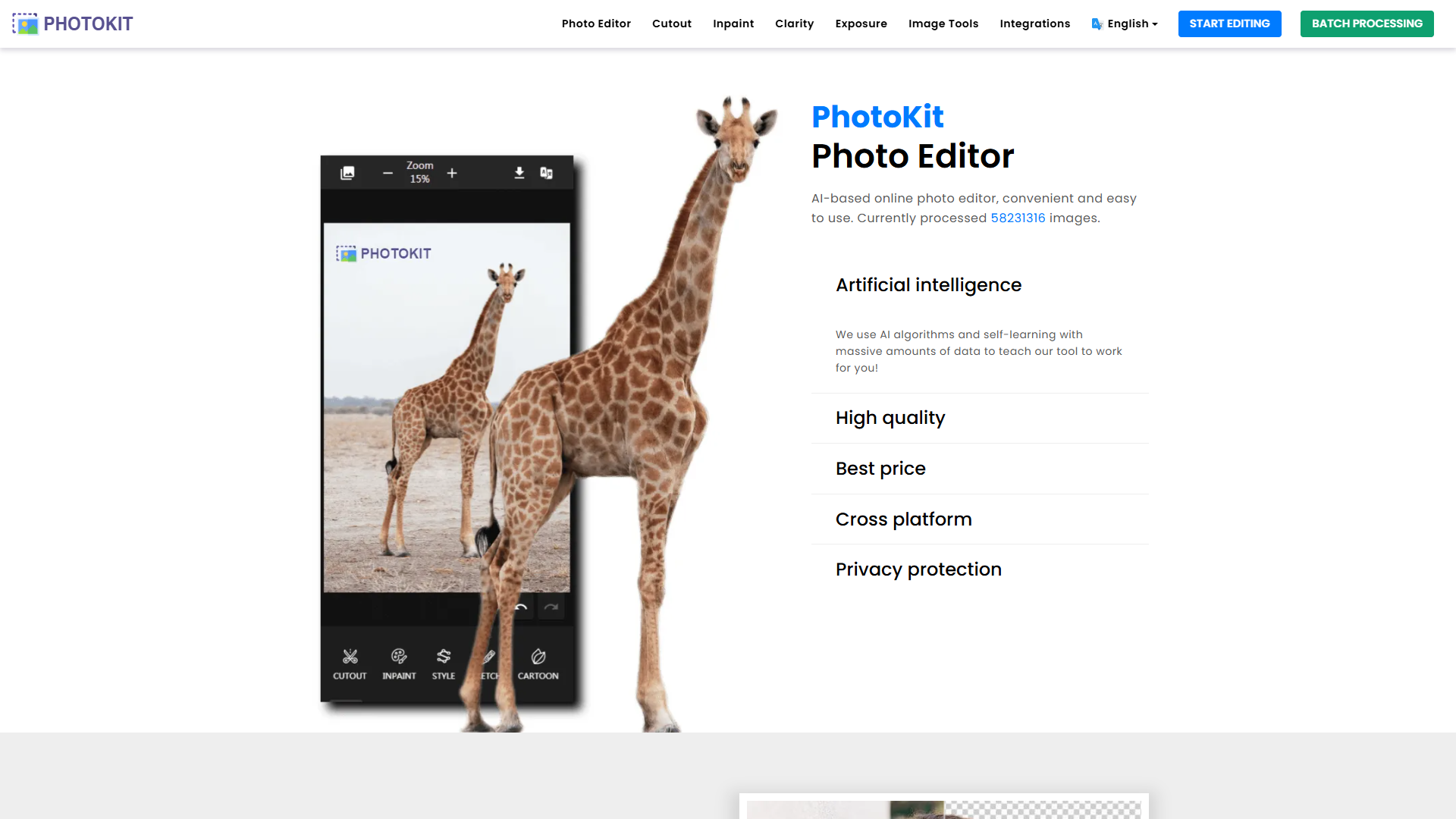
Overview
PhotoKit offers an exceptional online platform for photo editing, providing users with a wide range of features to improve their images. From removing backgrounds to retouching portraits, this tool covers all aspects of photo enhancement and manipulation. Even if you are new to digital editing, PhotoKit is designed to be intuitive, removing the need for steep learning curves. Its easy-to-use interface allows users to effortlessly edit images, apply effects, and make professional-grade adjustments.
Beyond individual photo edits, PhotoKit also supports batch processing, which simplifies handling multiple images at once. This is particularly useful for users who need to apply edits consistently across a large number of photos. The availability of advanced tools and features ensures that everything you need for both minor touch-ups and major transformations is at your fingertips. Whether you are an amateur photographer or a professional designer, PhotoKit provides all the functionalities to meet and surpass your editing needs.
Pricing
| Plan | Price | Description |
|---|---|---|
| Small-Business | - | - |
Key features
Image editing tools
PhotoKit comes with comprehensive image editing tools that help users enhance and modify images effortlessly. It offers features like color correction, exposure adjustment, and the ability to apply creative filters.
Background removal feature
The tool includes a powerful background removal option, allowing users to easily isolate the subject and replace or remove backgrounds, enhancing the focus and appeal of the main image.
Batch image processing
Users can take advantage of batch processing capabilities, which simplify the editing of multiple images at the same time. PhotoKit makes it efficient to perform edits like resizing and compression across a set of photographs.
User-friendly interface
Designed with beginners in mind, the interface is intuitive and easy to navigate. Users can quickly learn to explore and utilize the extensive features without a steep learning curve.
Pros & Cons
Pros
- Varied editing options
- Accessible for beginners
- Supports multiple formats
Cons
- Ads in free version
- Limited image downloads free
- Advanced editing requires practice
Rating Distribution
Screenshots
User Reviews
View all reviews on G2Best Edits @ Photokit
What do you like best about photokit?
Photokit is an photoeditor app that uses AI to make your photo look the best and flawless and the quality of the photo is enhanced.
Since most of the phones do not have the update of removing the background of the image and the objects which are not needed this is the best app that can be used online or downloded which is easy to use and is not complicated. It can also enchance the brightness and exposure of the photo. It is very to be implemented or used in tabs or laptops with pen for the background removal.
With the help Customer support i think more better features can be implemented.
What do you dislike about photokit?
It is not friendfly to be used in desktop as it requires lots of patience to focus on the areas to be edited.
What problems is photokit solving and how is that benefiting you?
It is not desktop friendly to be used in mac book but works best in ipad.
My experience using photokit
What do you like best about photokit?
easy to use and implementation, theres no too much ads, features complete
What do you dislike about photokit?
for animation editing more to be improve
What problems is photokit solving and how is that benefiting you?
features and item for editing photo is comp...
Online editor for images and graphics
What do you like best about photokit?
photokit has various editing tools in it which is helping to generate standard and professional content for digital marketing and will let you to get ready the posts for your web pages.
It includes tools like image resizing, filters, characters and lot of helpfu...
Handy Photo Editor
What do you like best about photokit?
Found it easy to use and has all the functions I need to quickly edit photos
some of the features I have been using are
* Remove background
It does a good job removing backgrounds and you can always use the restore option to undo anything on the photo.
* Resi...
Photokit details and review
What do you like best about photokit?
It's the simple photo editing software for the beginners which edits the photo in a just few clicks. In this there are multiple options like enhance photo by automated enchantment features, retouch portraits effects, background remove feature, double exposer, ba...
Company Information
Alternative Ai Graphic Design tools


FAQ
Here are some frequently asked questions about Photokit.
PhotoKit provides a wide range of photo editing tools, including background removal, retouching, image resizing, and bulk processing of images. Its feature set allows users to perform both basic and advanced photo editing tasks with ease.
Yes, PhotoKit offers batch image processing, which enables users to edit multiple images simultaneously. This feature is particularly beneficial for users who need to apply consistent edits across a large number of photos efficiently.
The free version of PhotoKit provides full access to all functionalities but is supported by ads. Users can explore and use advanced editing features but might find the presence of ads disruptive to their workflow.
PhotoKit stands out due to its extensive range of editing features, batch processing capabilities, and ease of use. It caters to both beginners and professionals, making it a versatile choice for comprehensive photo editing.
Yes, PhotoKit offers a free plan that allows access to all functionalities, supported by ads, and includes limited image downloads. This plan provides a good starting point for users to explore and utilize the software's capabilities.
PhotoKit is designed with an intuitive user interface, making it extremely accessible to beginners. While offering professional-grade features, it removes the complexity to ensure users can easily learn and navigate the software.
Yes, PhotoKit is compatible with multiple image formats, including png, jpg, gif, bmp, tiff, and RAW. This flexibility ensures users can work with almost any image file without format restrictions.
Users on the free plan can expect updates and new AI tools, as the software's offerings are regularly enhanced and expanded, although they may still encounter ads during their use.