
Retouch4me
Enhance photos with automated retouching tools online.
Overview
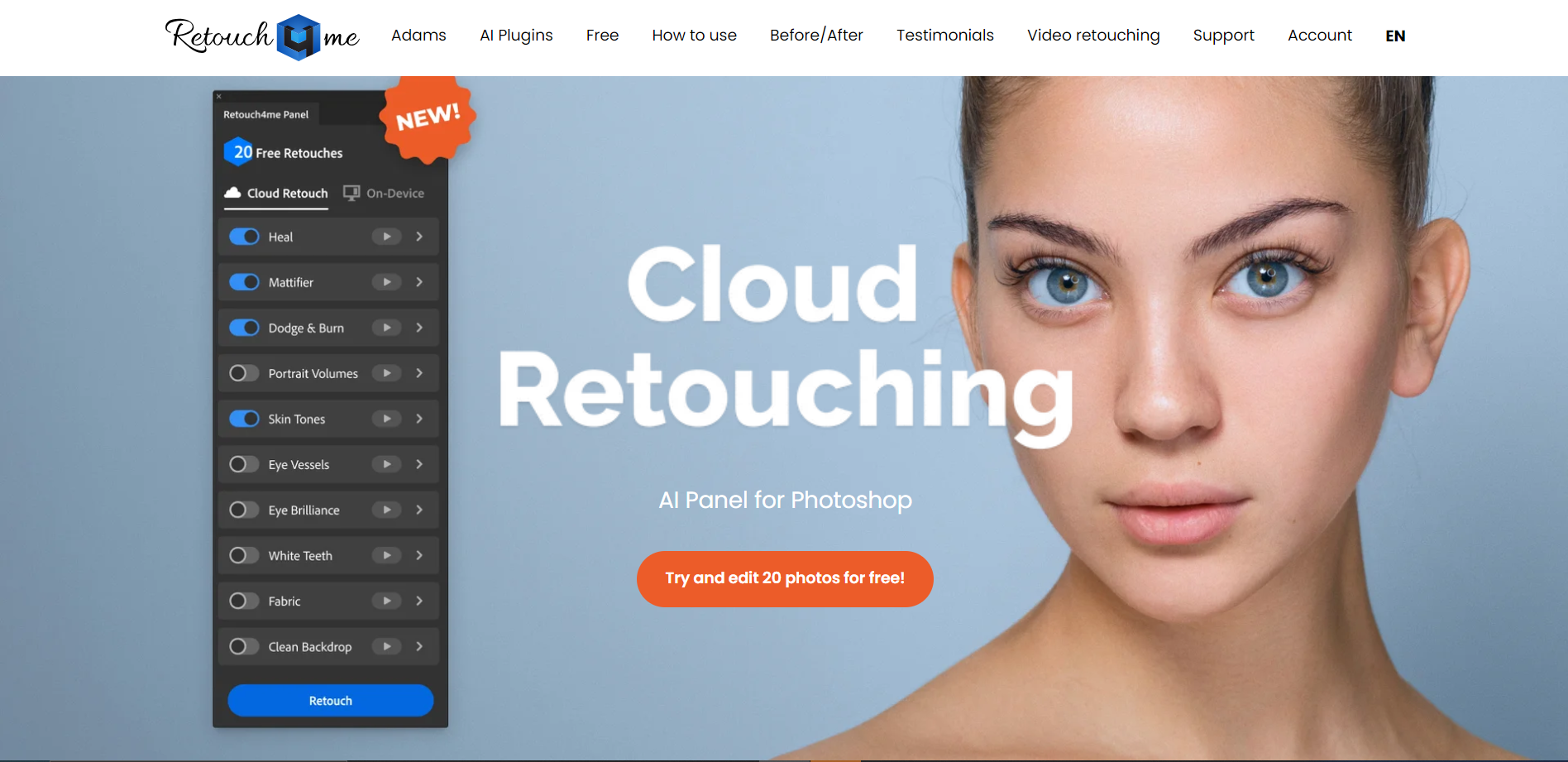
Retouch4.me is an innovative tool designed to enhance portrait photos with the power of artificial intelligence. This tool specializes in retouching skin, eyes, teeth, and other key facial features to produce professional-quality images effortlessly. Retouch4.me offers a variety of features that cater to both amateur photographers and professional editors. Its user-friendly interface allows for automatic corrections that save time without compromising on quality.
One of the standout features of Retouch4.me is its ability to detect areas of the photo that need improvement and apply subtle, natural enhancements. This ensures that the end results look authentic and not overly processed. Whether it's smoothing skin, brightening eyes, or whitening teeth, this tool handles each task with precision. Additionally, Retouch4.me supports batch processing, which is a boon for professionals who need to edit multiple images quickly.
Retouch4.me is compatible with popular photo editing software like Adobe Photoshop, making it a versatile addition to any photographer's toolkit. By streamlining the editing process and delivering consistent results, Retouch4.me helps users achieve beautiful portraits with minimal effort.
Key features
Automatic skin retouching
Enhances skin texture and tone while preserving natural skin details.
Dodge and burn effect
Adds depth and dimension by highlighting and shadowing specific facial features.
Teeth whitening tool
Brightens and whitens teeth automatically for a more appealing smile.
Eye enhancement features
Sharpens and accentuates the eyes, including color enhancement and sharpening.
Batch processing capability
Allows users to apply edits to multiple photos at once, saving time and effort.
Plugin compatibility
Works seamlessly with popular photo editing software like Photoshop and Lightroom.
Pros & Cons
Pros
- Hair volume enhancement
- Background blur feature
- Color correction tools
- Facial contouring option
- Lighting adjustment controls
Cons
- Steep learning curve
- Limited free trial
- High subscription cost
- Resource intensive
- Specific use case
Rating Distribution
User Reviews
View all reviews on G2Very easy and usefull plugin that helps me everytime
What do you like best about retouch4me?
In a single click it make a picture or a video very awesome and cool without losing any natural colour
What do you dislike about retouch4me?
Sometimes it don't detect the problem areas to edit them so it has to be done manually
What problems is retouch4me solving and how is that benefiting you?
For making some pictures real estate and highlight the natural colours and for professional editing also.
Company Information
Alternative Ai Graphic Design tools


FAQ
Here are some frequently asked questions about Retouch4me.
Retouch4me is a tool designed for automating the process of retouching photos, primarily focusing on skin and portrait enhancements to save time for photographers and photo editors.
Yes, Retouch4me is capable of batch processing, allowing users to apply retouching effects to multiple images at once, which is particularly useful for professional photographers dealing with large volumes of photos.
Yes, Retouch4me offers a trial version so that potential users can evaluate the software's features and performance before committing to a purchase.
Yes, Retouch4me provides tutorials and user guides on their website to help new users understand and effectively use the tool for photo retouching.
Retouch4me works both as a standalone application and as a plugin for popular photo editing software like Adobe Photoshop and Lightroom.
The system requirements for Retouch4me typically include a Windows or MacOS operating system, a compatible processor with adequate speed, sufficient RAM, and enough storage space for installation and operation.
Retouch4me is designed with advanced algorithms that aim to preserve natural skin texture and tones while removing imperfections, ensuring that the retouched photos look realistic and not overly processed.
Retouch4me offers customer support through their website, where users can submit support tickets, access FAQs, and sometimes engage with community forums or direct support channels for assistance.