
Overview
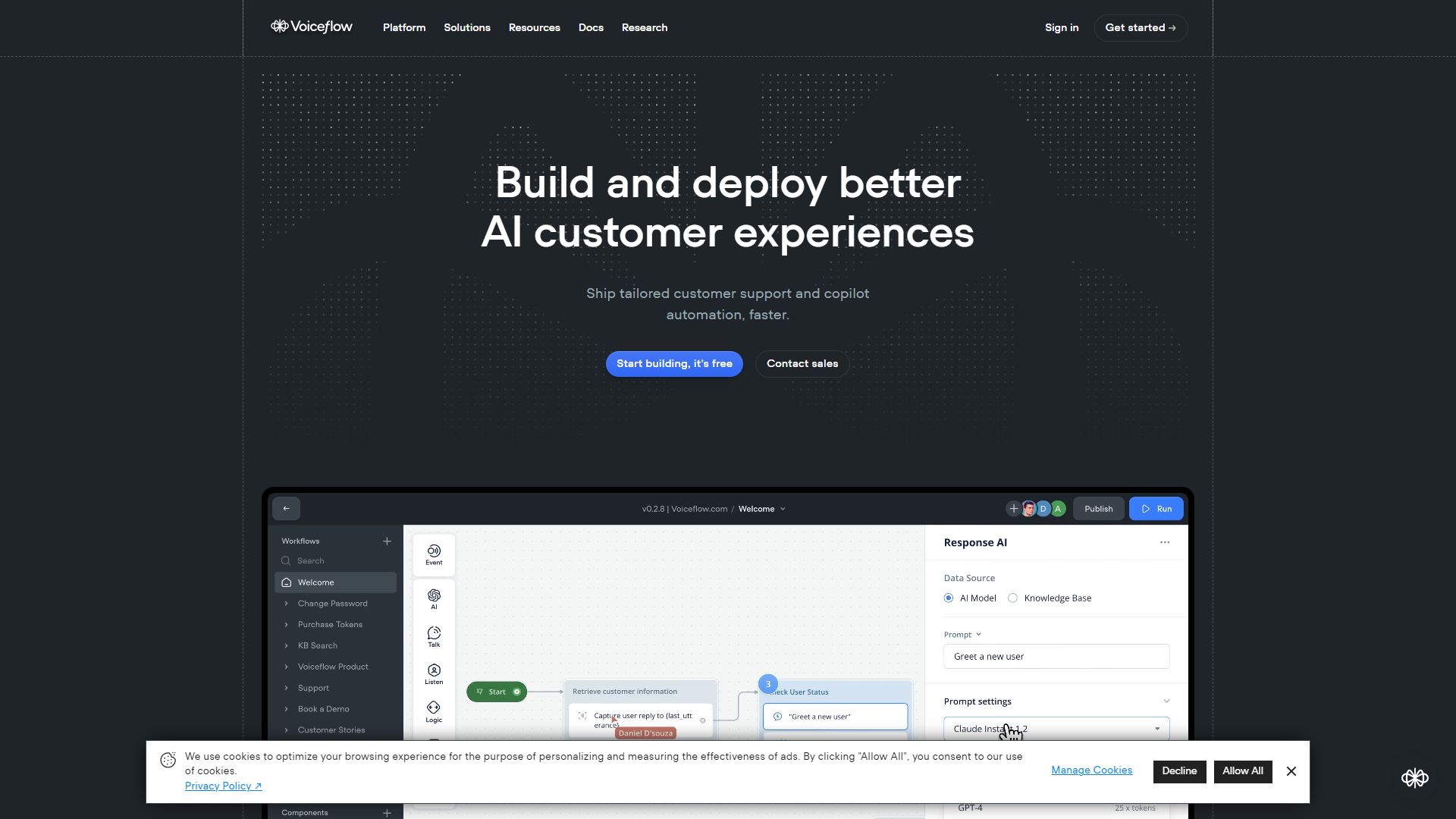
Voiceflow is a powerful platform designed for creating voice applications. It allows users to build, prototype, and launch voice experiences without extensive coding knowledge. With its intuitive drag-and-drop interface, anyone can design voice applications, from simple chatbots to complex voice assistants.
The platform supports popular voice assistants like Amazon Alexa and Google Assistant, making it accessible to a wide audience. Voiceflow's collaborative features enable teams to work together seamlessly, providing a space where developers and designers can communicate and innovate. Its testing tools also allow for real-time feedback, helping creators refine their projects effortlessly.
Voiceflow aims to democratize voice design, empowering people of all skill levels to bring their ideas to life. By simplifying the voice app development process, it helps users focus on creativity rather than technical barriers, ensuring a product that meets user needs effectively.
Pricing
| Plan | Price | Description |
|---|---|---|
| Sandbox | Free | For those getting started with Voiceflow. |
| Pro | Free Trial (Per Month) | For individual users building advanced AI agents. |
| Teams | $6,000.00 (Per Year) | For small teams building advanced AI agents |
| Enterprise | Contact Us (Per Year) | For conversational AI product teams that need customization and security for building the most advanced AI agents. |
Key features
User-Friendly Interface
Voiceflow's drag-and-drop editor allows anyone, even non-coders, to design voice applications quickly.
Multi-Platform Support
Create applications for various voice assistants like Alexa and Google Assistant in one place.
Collaboration Tools
Team members can work together in real-time, making it easier to share ideas and feedback.
Prototyping Capabilities
Test your voice apps as you build them, allowing for immediate adjustments and improvements.
Custom Code Integration
For advanced users, add custom code to enhance the functionality of your voice apps.
Analytics Dashboard
Track user interactions and gather insights to improve your applications over time.
Voiceflow Marketplace
Access pre-built templates and components to speed up your app development.
Tutorials and Support
Comprehensive guides and support resources are available to help users of all skill levels.
Pros & Cons
Pros
- Intuitive Design
- Flexible
- Real-Time Collaboration
- Comprehensive Resources
- Robust Prototyping
Cons
- Learning Curve
- Pricing for Teams
- Limited Advanced Features
- Integration Challenges
- Performance
Feature Ratings
Based on real user reviews, here's how users rate different features of this product.
Responses
Provides personalized responses to interlocator based on segmentation or past responses. 11 reviewers of Voiceflow have provided feedback on this feature.
Based on 11 reviewsBased on 11 Voiceflow reviews. Has tools (e.g. dashboards and reports) to better understand conversations Intelligent Virtual Assistants have had.
Based on 11 reviewsBased on 11 Voiceflow reviews. Can have a natural, human-like conversation with an interlocator.
Based on 11 reviewsPlatform
Allows business to edit conversations to meet the unique needs of one's business. 10 reviewers of Voiceflow have provided feedback on this feature.
Based on 10 reviewsBased on 11 Voiceflow reviews. Gives users the ability to update systems, like CRM, based on conversations.
Based on 11 reviewsBased on 11 Voiceflow reviews. Allows users to maintain and observe the accuracy and viability of Intelligent Virtual Assistants.
Based on 11 reviewsConversational Platform
Identifies the customer and personalizes interaction at every touchpoint.
Allows multiple related channels to interact at once to reduce transfers.
Prompts agents to engage customers based on contextual data, such as product usage or conversation history.
Provides features for sending outbound messages to engage customers through proactive support.
Support Automation
Can route contacts to agents the customer has worked with before.
Provides features for escalating conversations to the appropriate agent.
Maintains a transcript of conversations from all channels.
Enables customers to resolve queries or issues without the assistance of an agent.
Customer Support
Is able to process inquiries submitted by text data from live chat, email, or SMS
Comprehends human speech and can transcribe it to text for processing
The AI is able to access the company's internal knowledge to inform and guide responses to customer inquiries
Automation
The platform is able to automatically determine how to resolve help tickets without assistance by human agents
The platform's responses to customers can be customized to improve comprehension, relatability, and emotional intelligence
When the AI is unable to process a particular type of customer request, it is able to determine which is the best agent to refer the ticket to
Artificial Intelligence
The AI platform is able to learn over time on how to interpret each type of customer inquiry and improve the quality of their responses
Multilingual capabilities allow the AI to process inquiries from many languages
The AI's responses to customer inquiries provide human-like organic conversations. The platform is able to understand a question no matter how it's worded and provide comprehensive answers
Data
Ensures consistent performance, delivering reliable outputs based on user prompts. 11 reviewers of Voiceflow have provided feedback on this feature.
Based on 11 reviewsBased on 11 Voiceflow reviews. Implements stringent measures to protect user data and ensure privacy.
Based on 11 reviewsInteraction
Shows adeptness in comprehending and responding to complex or multi-part queries. 11 reviewers of Voiceflow have provided feedback on this feature.
Based on 11 reviewsBased on 11 Voiceflow reviews. Facilitates natural and human-like conversations, delivering engaging interaction experiences.
Based on 11 reviewsDemonstrates a sophisticated understanding of both written and spoken user commands. This feature was mentioned in 11 Voiceflow reviews.
Based on 11 reviewsBased on 11 Voiceflow reviews. Exhibits proficiency in maintaining and utilizing context throughout a conversation.
Based on 11 reviewsBased on 11 Voiceflow reviews. Offers a high degree of customization to meet individual user or business requirements.
Based on 11 reviewsLearning
Based on 11 Voiceflow reviews. Features robust learning mechanisms, improving responses over time based on past user interactions.
Based on 11 reviewsShowcases the ability to recognize, correct, and learn from its own mistakes. This feature was mentioned in 11 Voiceflow reviews.
Based on 11 reviewsContent Generation
As reported in 11 Voiceflow reviews. Displays creativity in generating diverse, interesting, and contextually relevant responses.
Based on 11 reviewsProduces content that is accurate, factually correct, and relevant to the user's query. 11 reviewers of Voiceflow have provided feedback on this feature.
Based on 11 reviewsSystem
Evaluates the chatbot's ability to provide flexible APIs for custom integrations and functionality expansions. This feature was mentioned in 11 Voiceflow reviews.
Based on 11 reviewsRegularly receives updates that contribute to continuous improvement of the product. 11 reviewers of Voiceflow have provided feedback on this feature.
Based on 11 reviewsAssesses the chatbot's ability to function seamlessly across various platforms and devices. This feature was mentioned in 11 Voiceflow reviews.
Based on 11 reviewsSeamlessly integrates with other platforms or software systems, enhancing overall utility. 11 reviewers of Voiceflow have provided feedback on this feature.
Based on 11 reviewsGenerative AI
Allows users to generate text based on a text prompt. 14 reviewers of Voiceflow have provided feedback on this feature.
Based on 14 reviewsBased on 13 Voiceflow reviews. Condenses long documents or text into a brief summary.
Based on 13 reviewsAllows users to generate text based on a text prompt. This feature was mentioned in 10 Voiceflow reviews.
Based on 10 reviewsBased on 10 Voiceflow reviews. Condenses long documents or text into a brief summary.
Based on 10 reviewsAllows users to generate text based on a text prompt.
Condenses long documents or text into a brief summary.
Scalability and Performance - Generative AI Infrastructure
Ensures that the service is reliable and available when needed, minimizing downtime and service interruptions.
Allows the user to scale the training of models efficiently, making it easier to deal with larger datasets and more complex models.
Provides the user the ability to get quick and low-latency responses during the inference stage, which is critical for real-time applications.
Cost and Efficiency - Generative AI Infrastructure
Provides the user the ability to allocate computational resources based on demand, making it cost-effective.
Allows the user to minimize energy usage during both training and inference, which is becoming increasingly important for sustainable operations.
Security and Compliance - Generative AI Infrastructure
Helps the user maintain compliance with GDPR and other data protection regulations, which is crucial for businesses operating globally.
Allows the user to set up access controls based on roles within the organization, enhancing security.
Ensures that data is encrypted during transit and at rest, providing an additional layer of security.
Usability and Support - Generative AI Infrastructure
Provides the user with comprehensive and clear documentation, aiding in quicker adoption and troubleshooting.
Allows the user to gauge the level of community support and third-party extensions available, which can be useful for problem-solving and extending functionality.
Automation - AI Agents
As reported in 10 Voiceflow reviews. Allows users to automate responses to customer inquiries across various channels.
Based on 10 reviewsAllows users to automate responses to customer inquiries across various channels.
Allows users to automate the process of generating and qualifying sales leads.
Allows users to automate the handling, processing, and management of documents.
Provides users the ability to automate the collection and analysis of feedback from customers, employees, or other stakeholders.
Autonomy - AI Agents
Based on 10 Voiceflow reviews. Allows the AI agent to learn from interactions and adapt its responses accordingly.
Based on 10 reviewsAllows the AI agent to learn from interactions and adapt its responses accordingly. This feature was mentioned in 10 Voiceflow reviews.
Based on 10 reviewsAs reported in 10 Voiceflow reviews. Provides the AI agent the ability to execute tasks without requiring constant user input.
Based on 10 reviewsBased on 10 Voiceflow reviews. Allows the AI agent to identify and resolve issues without user intervention.
Based on 10 reviewsRating Distribution
User Reviews
View all reviews on G2One word, awesome!
What do you like best about Voiceflow?
Like my title says, I only need one word: awesome. Why?
Awesome software: you are able to create almost anything related to AI agents. If you are a beginner, it's very easy to start, and when you grow, you learn that there are more advanced features to take everything to the next level.
Awesome staff: I already had a few calls with different staff members. They encourage you to tell your experiences and add features to the software.
Awesome community: their Discord community is top-tier. You can get answers to all your questions.
What do you dislike about Voiceflow?
I don't have any major dislike, but if I have to name one, the pro plan has a limit of 20 agents. When you want to be able to create more agents, you need to buy the team plan. Not everyone needs more team members. I suggest adding an option to select your own maximum amount of agents and adjust the price accordingly.
What problems is Voiceflow solving and how is that benefiting you?
They are making AI available to companies of all sizes in all kinds of niches. This benefits me so I can create different types of agents and sell them.
Top AI-Agent Building Platform
What do you like best about Voiceflow?
Among many things I like about Voiceflow, flexibility is my top pick.
The ability to craft highly customized and bespoke AI solutions is outstanding. You have different ways to add your data to the knowledge base, different ways to consume it, primitives to bu...
Flexible chatbot tool with LLM and classic functionalities
What do you like best about Voiceflow?
Voiceflow enables perfect planning of the communication flow between chatbot and user. It can be used as a no-code tool, but functions can also be created using Javascript, the web plugin can be customized using html, css and javascript, etc. Countless links wi...
Great software, support and updates
What do you like best about Voiceflow?
- Continiuos updates
- Free templates
- Great support and community
- Easy to use
- Flexibility to integrate, do custom API calls, and build custom functions
What do you dislike about Voiceflow?
Testing different agent versions or testing your agent on differe...
A versatile and robust platform for users of all levels
What do you like best about Voiceflow?
I started using Voiceflow for my company following a recommendation from an agency partner. It’s a well-designed platform suitable for different types of users: it provides user-friendly and intuitive features for business users while also enabling tech users t...
Company Information
Alternative Conversational Intelligence tools


FAQ
Here are some frequently asked questions about Voiceflow.
Voiceflow is a platform that allows anyone to design and build voice applications easily.
No, Voiceflow is designed for users of all skill levels, including those without coding experience.
You can create applications for Amazon Alexa and Google Assistant among others.
Yes! Voiceflow has collaboration tools that let your team work together in real-time.
Voiceflow offers a free plan with limited features, and paid plans for more robust functionality.
The prototyping feature allows you to test your voice application as you build it, making it easy to refine.
Yes, Voiceflow provides tutorials and support resources for users to learn how to use the platform.
Yes, advanced users can integrate custom code to add more functionality to their voice apps.