
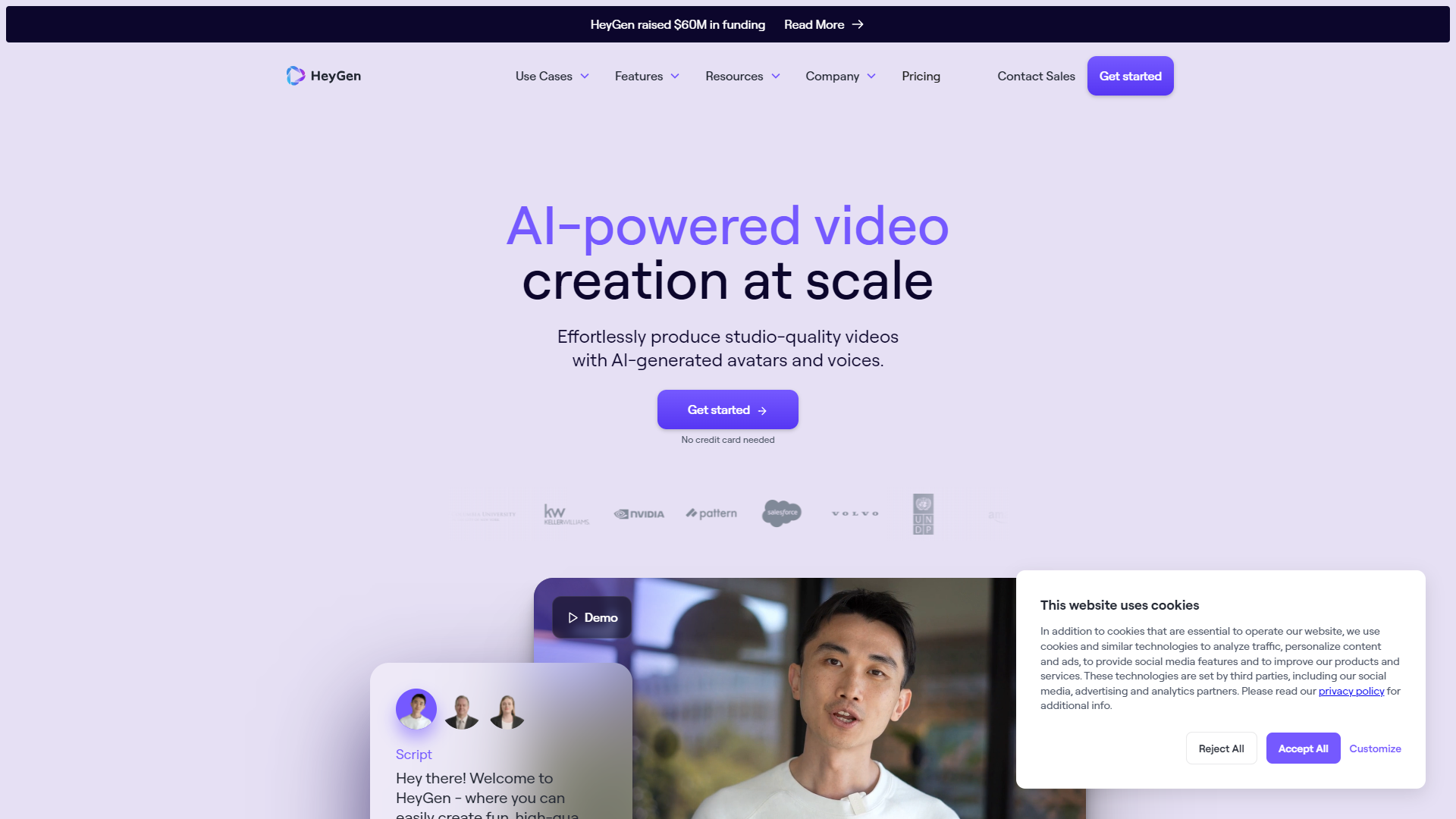
Overview
HeyGen is an innovative video creation platform that allows users to generate high-quality personalized videos. It is designed to simplify the video production process, making it accessible to anyone, regardless of their technical skills. With its user-friendly interface and advanced features, HeyGen is transforming how people create and share videos online.
The platform offers a range of tools that enable users to customize their videos by adding text, images, and sounds. HeyGen's unique technology makes it possible to produce engaging content quickly and efficiently. Whether you're making a short social media clip or a longer marketing video, HeyGen provides the resources you need to bring your ideas to life.
Moreover, as we navigate a digital world heavily reliant on visual content, HeyGen stands out by prioritizing user customization. Its versatility appeals to a broad range of users, from marketers to educators, helping them communicate their messages in a captivating way. With HeyGen, video creation is not just for professionals anymore; anyone can become a storyteller.
Pricing
| Plan | Price | Description |
|---|---|---|
| Free | Free 1 Seat | For individuals learning and exploring HeyGen |
| Creator | $24.00 1 Seat Per Month | For individuals creating short-form videos |
| Team | $69.00 1 Seat Per Month | For individuals and teams generating on-brand, high-quality videos |
| Enterprise | Contact Us | For businesses with custom needs producing studio-quality videos |
Key features
User-Friendly Interface
This feature simplifies the video creation process for everyone, even those with no experience.
Customizable Templates
Choose from a variety of templates that can be personalized to fit your brand or message.
High-Quality Output
HeyGen ensures that videos are produced in high quality, suitable for professional use.
AI-Powered Customization
Use AI tools to automatically generate content that matches your style and preferences.
Multi-Platform Sharing
Share your videos across different social media platforms with just a few clicks.
Collaboration Tools
Invite team members to collaborate on projects in real-time.
Extensive Media Library
Access a rich library of images, sounds, and clips to enhance your video.
Analytics and Insights
Monitor your video performance to understand your audience better.
Pros & Cons
Pros
- Affordable Pricing
- No Technical Skills Needed
- Time Efficient
- Engaging Content
- Regular Updates
Cons
- Limited Advanced Features
- Occasional Bugs
- Dependence on Internet
- Learning Curve
- Limited Export Formats
Feature Ratings
Based on real user reviews, here's how users rate different features of this product.
Platform Basics
Provides the ability to screen capture a still image of a user's full desktop, specific window or a small portion of the user's screen.
Provides the ability to video capture a user's full desktop, specific window or a small portion of the user's screen.
Allows users to edit and annotate screen captures and video captures with markup tools and image editing tools.
Provides a variety of slide design tools, such as animations, icons and transitions. This feature was mentioned in 55 HeyGen reviews.
Based on 55 reviewsProvides an autosave option to prevent file loss. This feature was mentioned in 56 HeyGen reviews.
Based on 56 reviewsPlatform Content
Allows users to capture a full screen capture while scrolling down a page.
Lets users extract text from a screen capture.
Helps users record a video capture and save it as a video file, audio file or GIF file.
Based on 51 HeyGen reviews. Provides users with a pre-built library of useable slide templates.
Based on 51 reviewsAs reported in 50 HeyGen reviews. Allows users to customize their own templates.
Based on 50 reviewsAs reported in 49 HeyGen reviews. Provides robust sharing options.
Based on 49 reviewsPlatform Additional Functionality
Provides robust sharing and publishing options.
Lets users search the platform for saved screen and video captures, as well as stock images.
Based on 53 HeyGen reviews. Provides a cloud based version of the platform
Based on 53 reviewsTranslation Options
Users can input text directly into a textbox to be translated.
Users can input a full document for translation.
Translations are available in real-time as text is being typed.
Translations are available in batches for large documents or files.
Software can automatically detect which language is being input.
Ability to automate real-time translation across digital support channels by integrating with CRM software and chat tools.
Provides the ability to combine the efficiency of augmented machine translation (MT) with the fluency of native-speaking editors (human translation).
Offering Type
Software is available as a browser application.
Software is available as a downloadable application.
Users can pay per use of the software.
Software is available for free.
Client Tools
Based on 13 HeyGen reviews. Allows users to manage their workforce and resources.
Based on 13 reviewsTranslation Tools
Offering comes with a built-in computer-assisted translation. This feature was mentioned in 13 HeyGen reviews.
Based on 13 reviewsAllows users to store glossaries for multiple languages. 13 reviewers of HeyGen have provided feedback on this feature.
Based on 13 reviewsBased on 13 HeyGen reviews. Allows administrations to designate certain permissions on a user-by-user basis.
Based on 13 reviewsBased on 12 HeyGen reviews. Applications comes with built-in quality assurance testing.
Based on 12 reviewsVoice
Provides dictation capabilities.
Gives the user a reliable and accurate transcription of the text.
Transcription
Identifies and differentiates between different speakers.
Provides timestamps for the transcription and gives the user the ability to alter them.
Allows for transcription to be displayed as closed captioning for a video.
Ability to add words or phrases to a custom dictionary for transcription.
Editing
Have the ability to share your project and grant collaborators access to comment or edit.
Provides spell checking and punctuation, such as commas, periods, and question marks.
Facilitates the editing of transcription via a text editor.
Allows for the translation of the transcribed text.
Enables audio clips to be added to videos 39 reviewers of HeyGen have provided feedback on this feature.
Based on 39 reviewsUtilizes speech-to-text technology to generate transcripts that can be used as captions 38 reviewers of HeyGen have provided feedback on this feature.
Based on 38 reviewsBased on 39 HeyGen reviews. Allows users to animate text and adjust text properties such as color, size, length, reflectivity, extrude, etc.
Based on 39 reviewsAllows users to make vides speed up, slow down, or reverse direction This feature was mentioned in 36 HeyGen reviews.
Based on 36 reviewsAllows images to be laid over videos This feature was mentioned in 37 HeyGen reviews.
Based on 37 reviewsProvides video clip editing capabilties, including trimming, resizing, slicing, scaling, rotating, zooming in and out, etc. 36 reviewers of HeyGen have provided feedback on this feature.
Based on 36 reviewsAllows users to add titles, subtitles, and captions to their video This feature was mentioned in 36 HeyGen reviews.
Based on 36 reviewsIntegration
Gives the user a secure platform for transcription which does not scrape data or compromise user data.
Provides an API to port the transcription into external applications.
Supports uploading recorded voice data into the solution.
Allows for the user to incorporate live transcription into video footage.
Integrates with existing applications to allow for seamless transcription of audio.
Supports integration to existing applications or devices. 220 reviewers of HeyGen have provided feedback on this feature.
Based on 220 reviewsBased on 202 HeyGen reviews. Deliver voices in real time to your application via an API.
Based on 202 reviewsSpeech Output
Provide tools to modify volume of voice. This feature was mentioned in 293 HeyGen reviews.
Based on 293 reviewsProvide tools to modify pitch of voice. 287 reviewers of HeyGen have provided feedback on this feature.
Based on 287 reviewsBased on 291 HeyGen reviews. Provide tools to modify speed of voice.
Based on 291 reviewsProvide tools to modify pronunciation of specific pre-defined words. 296 reviewers of HeyGen have provided feedback on this feature.
Based on 296 reviewsBased on 293 HeyGen reviews. Provide tools to modify accent of voice.
Based on 293 reviewsProvide tools to modify emotion of voice, including happy, sad, and annoyed. This feature was mentioned in 292 HeyGen reviews.
Based on 292 reviewsAs reported in 286 HeyGen reviews. Allow users to change the speaking style, such as newscaster or conversational.
Based on 286 reviewsAudio Format
Based on 292 HeyGen reviews. Allows users to create voices which sound natural and human-like.
Based on 292 reviewsBased on 276 HeyGen reviews. Gives users the ability to choose from a number of audio formats including mp3, Linear16, and Ogg Opus.
Based on 276 reviewsAs reported in 263 HeyGen reviews. Optimize for the type of speaker from which your speech is intended to play, such as headphones or phone lines.
Based on 263 reviewsVideo Creation
Allows users to record their device's screen for videos.
Allows users to upload videos created outside of the application.
Provides unlimited video storage within the application.
Allows users to attach live stream video to emails.
Allow users to customize the video player within emails.
Software Delivery
Software is available as a mobile application.
Software is available as a browser extension.
Application Programming Interface—Specification for how the application communicates with other software. API's typically enable integration of data, logic, objects, etc. with other software applications.
Analytics
Provides analytics concerning recipient engagement (open rates, video plays, etc.).
Provides broad analytics concerning email campaign performance.
Tracks the lengths of threads attached to video emails.
Based on 11 HeyGen reviews. Gives viewers the ability to leave reactions to shared content, including comments and emojis.
Based on 11 reviewsProvides insights including completion rate and call-to-action rate. This feature was mentioned in 11 HeyGen reviews.
Based on 11 reviewsProvides the user with viewer insights, such as who watched a video and how long the video was watched. 11 reviewers of HeyGen have provided feedback on this feature.
Based on 11 reviewsPlatform Features
Based on 11 HeyGen reviews. Provides the ability to video capture a user's full desktop, specific window, or portion of their screen.
Based on 11 reviewsProvides the ability to edit the captured content. 12 reviewers of HeyGen have provided feedback on this feature.
Based on 12 reviewsAllows users to capture their screen as a still image of their desktop, browser window, or portion of their screen. 11 reviewers of HeyGen have provided feedback on this feature.
Based on 11 reviewsBased on 11 HeyGen reviews. Allows users to capture a full screen capture while scrolling down a page.
Based on 11 reviewsBased on 11 HeyGen reviews. Allows users to record their screen, camera, or both at the same time. Captures the camera, microphone, and screen simultaneously.
Based on 11 reviewsProvides users with the ability to extract text from a screen capture. This feature was mentioned in 11 HeyGen reviews.
Based on 11 reviewsOrganization
As reported in 12 HeyGen reviews. Provide users with the ability to search all recorded and captured content in their library.
Based on 12 reviewsBased on 11 HeyGen reviews. Allows users to control who has viewing and editing access to a recording.
Based on 11 reviewsBased on 11 HeyGen reviews. Provides a library that can be used to organize videos into folders.
Based on 11 reviewsCustomization
Based on 10 HeyGen reviews. Allows users to add custom thumbnails to recorded videos.
Based on 10 reviewsAs reported in 11 HeyGen reviews. Provides a drawing or annotation tool to use while recording a video.
Based on 11 reviewsBased on 11 HeyGen reviews. Gives users the ability to add frames and backgrounds to their camera while recording.
Based on 11 reviewsPlatform
Compatible with various operating systems This feature was mentioned in 39 HeyGen reviews.
Based on 39 reviewsAllows various video and image file formats to be imported This feature was mentioned in 38 HeyGen reviews.
Based on 38 reviewsAs reported in 36 HeyGen reviews. Allows users to invite others to view, edit, and comment on video drafts
Based on 36 reviewsPlanning
Create content plans or calendars for multiple users and schedule content in advance. 92 reviewers of HeyGen have provided feedback on this feature.
Based on 92 reviewsPublishing
As reported in 90 HeyGen reviews. Ability to publish content either from the source it was created or through a third party.
Based on 90 reviewsSocial Media
Create and publication of content for social media platforms. This feature was mentioned in 95 HeyGen reviews.
Based on 95 reviewsGenerative AI
As reported in 44 HeyGen reviews. Allows users to generate text based on a text prompt.
Based on 44 reviewsCondenses long documents or text into a brief summary. 42 reviewers of HeyGen have provided feedback on this feature.
Based on 42 reviewsAs reported in 46 HeyGen reviews. Simulates human-like speech from text inputs.
Based on 46 reviewsAs reported in 80 HeyGen reviews. Simulates human-like speech from text inputs.
Based on 80 reviewsAllows users to generate text based on a text prompt. This feature was mentioned in 92 HeyGen reviews.
Based on 92 reviewsAllows users to generate text based on a text prompt. This feature was mentioned in 93 HeyGen reviews.
Based on 93 reviewsCondenses long documents or text into a brief summary. This feature was mentioned in 92 HeyGen reviews.
Based on 92 reviewsProvides the ability to generate video from a text prompt. 97 reviewers of HeyGen have provided feedback on this feature.
Based on 97 reviewsAllows users to generate text based on a text prompt.
Simulates human-like speech from text inputs.
Condenses long documents or text into a brief summary.
Allows users to generate text based on a text prompt. This feature was mentioned in 11 HeyGen reviews.
Based on 11 reviewsAllows users to generate text based on a text prompt. This feature was mentioned in 34 HeyGen reviews.
Based on 34 reviewsSimulates human-like speech from text inputs. 37 reviewers of HeyGen have provided feedback on this feature.
Based on 37 reviewsProvides the ability to generate images from a text prompt.
Provides the ability to generate 3D renderings from a text prompt.
Condenses long documents or text into a brief summary.
Produces music based on provided style or parameters.
Video Creation - AI Video Generation
Based on 44 HeyGen reviews. Allows users to create video content based on AI technology without relying on external video material
Based on 44 reviewsBased on 45 HeyGen reviews. Converts written text to natural-sounding speech
Based on 45 reviewsControls aspects of the synthesized voice, such as volume, pitch, and emotion 43 reviewers of HeyGen have provided feedback on this feature.
Based on 43 reviewsProvides tools to develop content, including but not limited to graphics, videos, presentations, copywriting, blogs, etc. 41 reviewers of HeyGen have provided feedback on this feature.
Based on 41 reviewsGives users tools for creating custom avatars 43 reviewers of HeyGen have provided feedback on this feature.
Based on 43 reviewsProduces a high-quality human-like avatar 45 reviewers of HeyGen have provided feedback on this feature.
Based on 45 reviewsGenerative AI - AI Video Generation
Provides the ability to generate video from a text prompt This feature was mentioned in 41 HeyGen reviews.
Based on 41 reviewsEditing - AI Video Generation
Provides tools for clipping, arranging, and manipulating videos This feature was mentioned in 43 HeyGen reviews.
Based on 43 reviewsSaves and exports completed files in one or more file types This feature was mentioned in 44 HeyGen reviews.
Based on 44 reviewsStorage & Management - AI Video Generation
Allows users to upload video files 41 reviewers of HeyGen have provided feedback on this feature.
Based on 41 reviewsAs reported in 42 HeyGen reviews. Assists with storage, organization, and sharing of video files
Based on 42 reviewsProvides tagging and metadata features to optimize organization and video search capabilities 39 reviewers of HeyGen have provided feedback on this feature.
Based on 39 reviewsAs reported in 40 HeyGen reviews. Assists with the distribution of videos through various channels with encoding and/or transcoding features
Based on 40 reviewsVideo creation - Video Content Creation
Allows users to animate various elements in their videos, including text, images, and icons. 31 reviewers of HeyGen have provided feedback on this feature.
Based on 31 reviewsAs reported in 31 HeyGen reviews. Provides a library of customizable video templates.
Based on 31 reviewsAs reported in 32 HeyGen reviews. Provides a view of the order and length of all clips and allows users to add and rearrange clips.
Based on 32 reviewsAs reported in 32 HeyGen reviews. Plays back written text and spoken words.
Based on 32 reviewsProvides a library of sounds and music to be used in videos. This feature was mentioned in 31 HeyGen reviews.
Based on 31 reviewsEnables video to be resized for compatibility with different viewing formats. This feature was mentioned in 30 HeyGen reviews.
Based on 30 reviewsDistribution - Video Content Creation
Provides HTML codes to allow videos to be embedded on websites. 29 reviewers of HeyGen have provided feedback on this feature.
Based on 29 reviewsAllows videos to be downloaded in file multiple formats. 31 reviewers of HeyGen have provided feedback on this feature.
Based on 31 reviewsTraining & Support - Video Content Creation
As reported in 31 HeyGen reviews. Provides customer support for the product via email, phone and/or chat.
Based on 31 reviewsIntegrations - Video Content Creation
Integrates with users' organizations' media library for easy import of digital brand assets This feature was mentioned in 30 HeyGen reviews.
Based on 30 reviewsAs reported in 30 HeyGen reviews. Integrates with marketing tools to streamline the marketing workflow.
Based on 30 reviewsOther - Video Content Creation
As reported in 29 HeyGen reviews. Provides prominent collaboration features to allow multiple people to work on a single project.
Based on 29 reviewsBased on 27 HeyGen reviews. Allows an administrator to define roles and control access.
Based on 27 reviewsVoice cloning - Voice Dubbing
Produces natural-sounding output. 20 reviewers of HeyGen have provided feedback on this feature.
Based on 20 reviewsSupports variety of audio and video input formats. 18 reviewers of HeyGen have provided feedback on this feature.
Based on 18 reviewsSupports modification of pitch, duration, pitch and gender of the voice. 19 reviewers of HeyGen have provided feedback on this feature.
Based on 19 reviewsReal-time preview - Voice Dubbing
As reported in 19 HeyGen reviews. Allows users to preview morphed voice in real-time.
Based on 19 reviewsOutput - Voice Dubbing
As reported in 18 HeyGen reviews. Provides a robust, user-friendly API to input and output content.
Based on 18 reviewsAs reported in 19 HeyGen reviews. Allows users to share content to other channels and platforms.
Based on 19 reviewsGives users ability to select a wide range of languages. This feature was mentioned in 21 HeyGen reviews.
Based on 21 reviewsSecurity and Privacy - Voice Dubbing
Ensures secure transmission of data associated to dubbing projects. 18 reviewers of HeyGen have provided feedback on this feature.
Based on 18 reviewsRating Distribution
Screenshots
User Reviews
View all reviews on G2Known for Constantly Adding Innovative Features ... Great Company for Customer Success
What do you like best about HeyGen?
I feel that HeyGen is a very powerful tool for creating AI videos. The standout feature is undoubtedly the AI avatars. HeyGen's avatars are incredibly lifelike and realistic, with natural movements and expressions virtually indistinguishable from real humans. I was blown away by how seamlessly the lip-syncing matches the audio, creating a truly immersive viewing experience. I can quickly select an avatar, input my script, choose a voice, and generate a polished video in no time.
Though I haven't used their language translation features much in 2024, I plan to use them more in 2025 as I recently acquired clients from Japan and Taiwan. The capability of easily translating videos quickly into other languages is genuinely remarkable.
I believe that the mark of a good software company is having really useful products and constantly innovating with valuable features. I evaluated a lot of AI Avatar tools, and I believe that HeyGen is the Leader. However, the mark of a GREAT company is what they do when something goes wrong. I experienced a significant problem, and the Customer Success Team jumped into action to help me. Kudos to Joy and Liz for really helping me when I needed it.
If you are producing videos that need a lifelike spokesperson for sales, education, or any other communication, HeyGen is a must-have. I am an Enterprise user, and I highly recommend that you ascend to the Enterprise level as quickly as possible to take advantage of all the company offers.
What do you dislike about HeyGen?
They removed one of my favorite female avatars.
What problems is HeyGen solving and how is that benefiting you?
It is easier and faster to use AI Avatars for training videos then it is to use live subject matter experts who may not have the best video presence.
Great for developing cost-effective education
What do you like best about HeyGen?
With the right training video i managed to create a pretty good AI avatar of myself that I can use for educational content in multiple languages. While its not as polished as a real recording, it is far faster making it a lot more cost effective for customers on a...
I am a non-tech techy.
What do you like best about HeyGen?
HeyGen makes it possible for me to create my Avatars, connect my videos, and use my voice without having to know what happens in the back room. It is relatively easy and I love the fact that I can be competitive in the marketplace.
I use HeyGen at least weekly. ...
How Frank revolutionized the art of storytelling with HeyGen
What do you like best about HeyGen?
Once upon a time, there was Frank, a creative mind always on the lookout for the next big thing. And then, one day, he stumbled upon HeyGen – a platform that gave him the power to create cool videos that amazed his audience.
Frank was thrilled. "This is it!" he t...
Amazing Tool for Tutorial Design!
What do you like best about HeyGen?
I'm in a PreK-12 setting, and quiet places with attractive backgrounds are hard to come by. I love that I only had to have such a setting once (to create my Instant Avatar), and now I'm able to "tell myself" what to say in a wide variety of videos, simply by writ...
Company Information
Alternative Ai Video Generators tools


FAQ
Here are some frequently asked questions about HeyGen.
HeyGen is a video creation platform designed for easy personalized video production.
No, HeyGen is user-friendly and does not require any technical skills.
Yes, you can easily share your videos across multiple social media platforms.
Yes, HeyGen offers a free trial for new users to explore its features.
You can create various types of videos, including marketing clips, educational videos, and social media content.
Yes, HeyGen has collaboration tools that let you invite team members to work together.
HeyGen has a support team ready to help users with any issues they face.
Yes, HeyGen provides templates tailored to various industries and purposes.


