
Blue Iris
Blue Iris is a powerful video security software for your home or business.
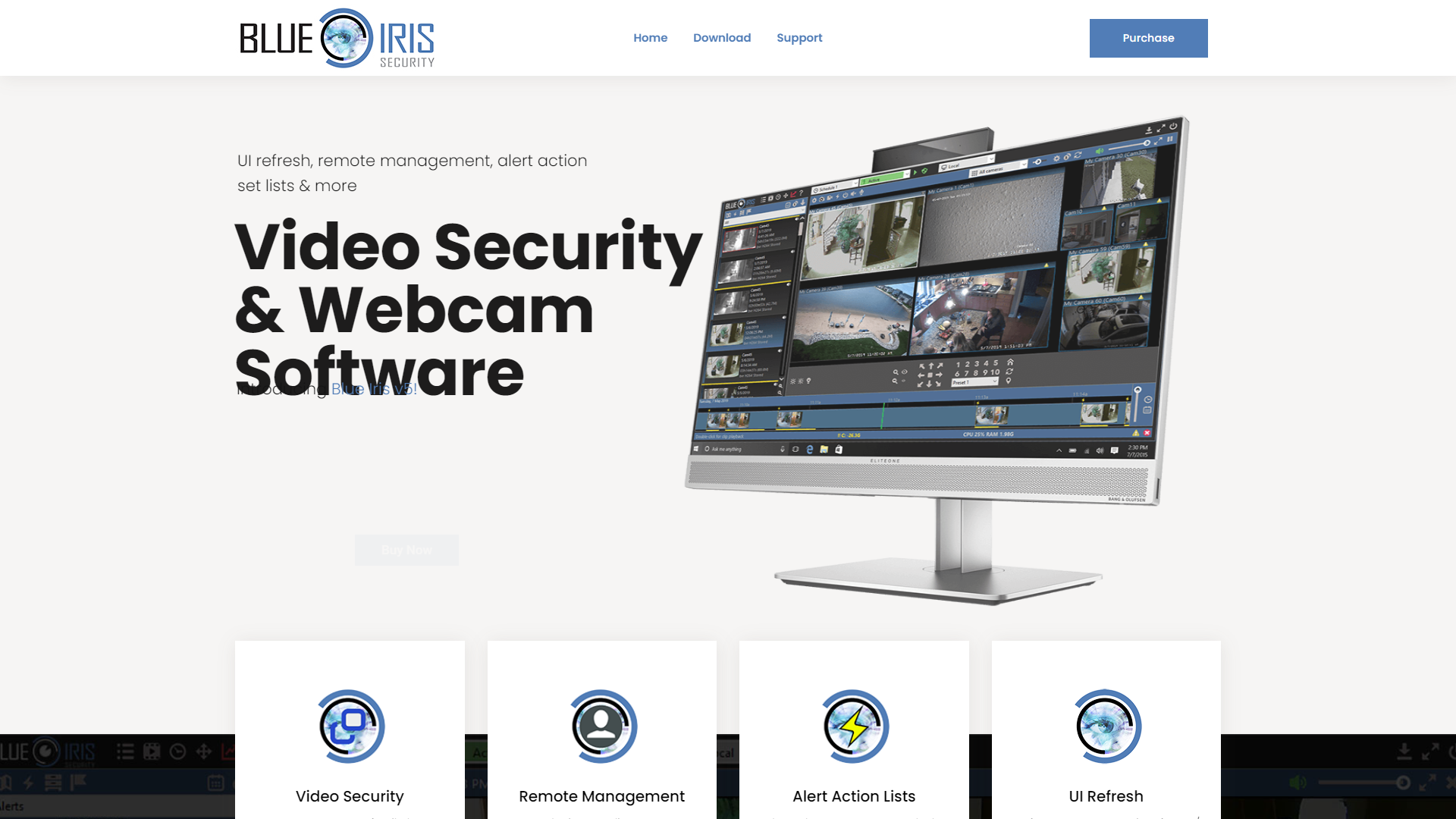
Overview
Blue Iris is a video surveillance software that is mainly designed for personal and commercial security. It allows you to monitor your cameras in real-time, ensuring safety and security in your area. With a focus on usability, Blue Iris makes it easy for you to keep an eye on things from anywhere.
Key features
Multi-camera support
Blue Iris can manage and view multiple cameras at the same time, offering real-time monitoring and recording.
Remote access
Users can access their cameras from smartphones, laptops, or tablets, ensuring flexibility and convenience.
Smart alerts
The software sends notifications for motion detection, keeping you informed of any activity in monitored areas.
Customizable settings
Users can adjust various settings according to their preferences, enhancing the user experience.
Video recording and playback
Easily record videos and access playback features, allowing you to review past events.
Integration with other devices
Blue Iris can work with a wide range of cameras and IoT devices, offering versatility.
User-friendly interface
The layout and design of the software are intuitive, making it easy for anyone to navigate.
Continuous updates
The software receives regular updates, ensuring better performance and adding new features.
Pros & Cons
Pros
- Flexible remote access
- Wide compatibility
- Cost-effective solution
- Easy installation
- Active community support
Cons
- Requires powerful hardware
- Learning curve for beginners
- Subscription fees
- Limited cloud storage
- Occasional software bugs
Feature Ratings
Based on real user reviews, here's how users rate different features of this product.
Setup
Provides a fully managed system that you can set and forget. 11 reviewers of Blue Iris have provided feedback on this feature.
Based on 11 reviewsGives users a system that is compatible with existing cameras. This feature was mentioned in 11 Blue Iris reviews.
Based on 11 reviewsAllows for integrations with other systems (e.g. access control, POS).
Automatically load-balances resources between all your network video recorders (NVRs).
Video Intelligence
Gives the ability to quickly isolate relevant footage.
Detect objects in video. 11 reviewers of Blue Iris have provided feedback on this feature.
Based on 11 reviewsCreate workflows with video footage.
Access
As reported in 11 Blue Iris reviews. Provides adequate storage for video footage.
Based on 11 reviewsCreate alerts based on motion, noise, etc. 11 reviewers of Blue Iris have provided feedback on this feature.
Based on 11 reviewsAs reported in 11 Blue Iris reviews. Easily access your video footage from any device, anywhere.
Based on 11 reviewsAllows for different levels of permissions based on user type. This feature was mentioned in 10 Blue Iris reviews.
Based on 10 reviewsBased on 11 Blue Iris reviews. Provides a dashboards users can use to view video footage.
Based on 11 reviewsProvides users with analytics of video footage.
Securely share the video with whoever needs to see it.
Rating Distribution
User Reviews
View all reviews on G2Cameras and recordings from anywhere with an internet connection
What do you like best about Blue Iris?
with Blue Iris, we cloud view live video feeds, record and playback video footage, and receive alerts when motion or sound is detected. The software also includes advanced features such as motion detection, facial recognition, and license plate recognition.
What do you dislike about Blue Iris?
I noticed that Blue Iris requires a powerful computer with a dedicated graphics card to operate smoothly. It might feel complex and costly to some people would recommend a user-friendly approach in terms of requirement
What problems is Blue Iris solving and how is that benefiting you?
Blue Iris allows monitoring and recording of video footage from security cameras, providing a way to keep property and belongings safe. It also allows access to remote control of security cameras and automates specific tasks, such as recording footage when detecting motion or sound.
Great Security monitor
What do you like best about Blue Iris?
Ease of installation and configuration. Great added on for face recognition.
What do you dislike about Blue Iris?
Not much, Could have more camera drivers for different models
What problems is Blue Iris solving and how is that benefiting you?
Replaced hard...
I've been using Blue Iris Software for over 8 years
What do you like best about Blue Iris?
Simple web interface for remote access via PC web browser and Android app
What do you dislike about Blue Iris?
Having to pay for the upgrades. I believe in paying once for a product and not the total purchase price again and again.
What problems is Blue Iri...
Security Dashboard - Everything you need
What do you like best about Blue Iris?
Mobile friendly. Captures video in easy to organize tiles. Tiles can be played back just like any other audio/movie file. Captures video, audio, and gives ability to monitor all cameras/video in one place. The alert feature is really helpful too.
What do you d...
Blue Iris Software - Easy To Use and High end functions for a low price
What do you like best about Blue Iris?
Inexpensive software that is Easy to set up. It Runs on a regular computer (PC), so dedicated hardware is not needed. Also, because it is Compatible with most of the cameras out there, you aren't cornered by a particular brand
What do you dislike about Blue Ir...
Company Information
Alternative Video Surveillance tools


FAQ
Here are some frequently asked questions about Blue Iris.
Blue Iris supports a wide range of IP cameras and some USB cameras. Always check for compatibility before purchase.
You can access your cameras from any device with the Blue Iris app or any web browser using your account.
Yes, the installation process is user-friendly and typically takes only a few minutes.
Yes, Blue Iris includes smart motion detection features, which alert you to any movement detected by the cameras.
While the initial purchase provides you with software, additional support and updates may require a subscription.
Yes, you can easily record and playback videos using Blue Iris.
You can check the online forums or contact support for help with any issues you may face.
Yes, Blue Iris has a mobile app that allows you to monitor your cameras on the go.


