
AI Image Enlarger
Enhance image resolution online without quality loss.
Overview
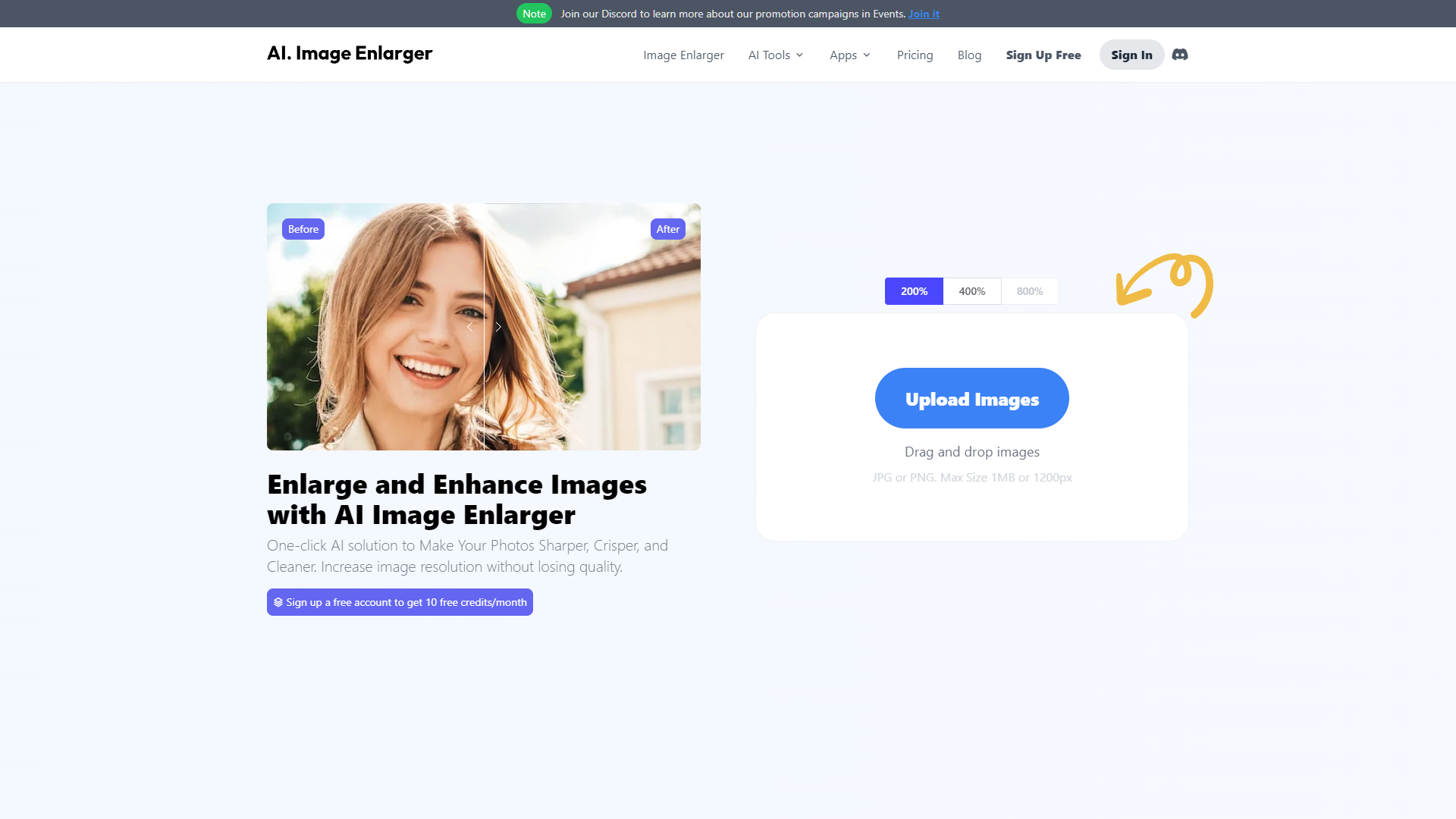
ImgLarger is an innovative online tool designed to enhance image quality through advanced enlargement techniques without compromising on clarity. This user-friendly platform utilizes state-of-the-art AI technology to upscale images by up to 800% while maintaining high resolution and sharpness. It's an ideal solution for both professionals and hobbyists who need to enlarge images for printing, presentations, or digital use.
The process of using ImgLarger is straightforward. Users simply upload their desired image to the website, select the enlargement factor, and let the AI do the rest. The tool automatically analyzes the image and applies complex algorithms to increase its size while refining details and textures. This ensures that the enlarged image remains clear and free of common issues such as pixelation and blurring.
ImgLarger supports a wide range of image formats, including JPG, PNG, and TIFF, making it versatile for various applications. Additionally, the platform ensures user privacy as all uploaded images are automatically deleted after processing. Whether you're looking to enhance personal photos or professional graphics, ImgLarger.com provides a quick, efficient, and high-quality solution to image enlargement needs.
Key features
AI image enlargement
Enhances image resolution using advanced AI technology without losing quality.
Batch processing
Allows users to upload and process multiple images simultaneously, saving time and effort.
Multiple formats supported
Compatible with various image formats including JPG, PNG, and BMP for user convenience.
Intuitive user interface
Designed for ease of use, enabling both beginners and professionals to navigate smoothly.
Fast processing speed
Quickly processes images, ensuring efficient workflow and minimal waiting time.
No watermark
Outputs images without adding any watermark, maintaining the original appearance of the photos.
Pros & Cons
Pros
- Customizable resolution settings
- Preservation of details
- Cloud-based service
- Secure processing environment
- Free trial available
Cons
- Privacy concerns
- Limited free usage
- Internet dependency
- Output quality variation
- File size limitations
Rating Distribution
Screenshots
User Reviews
View all reviews on G2AI Image Enlarger Tools use ML algorithms to upscale images while retaining sharpness and details
What do you like best about AI Image Enlarger?
1. Dual Environment : Vector and Raster
2. Precision Tools
3. Advanced Export Options
4. Non-Destructive Editing
5. Color and Typography
6. Performance
What do you dislike about AI Image Enlarger?
1. Loss of Authenticity in Details
2. Limited Custmization
3. Processing Time
4. Scalability Limitations
5. Limited use for Vector Images
6. Cost Barriers
7. Dependence on Internet
8. Ethical Concerns
What problems is AI Image Enlarger solving and how is that benefiting you?
1. Affordable Pricing : One-time payment, no subscription
2. Cross-Platform : Available on MacOS, Windows and iPad
3. Frequent Updates
4. User Friendly Interface ; Easy to learn for beginners but powerful enough for professionals
Quite the Miracle!
What do you like best about AI Image Enlarger?
I used this thrice for converting my old Kodak film negatives to a high-resolution image so that I can post-process it virtually on Photoshop. I was surprised to see the pictures having a really good detail with the AI imaging capabilities, it came out ...
Best Image enhancer in market
What do you like best about AI Image Enlarger?
1.its easy to use interface
2.quality of the output
3. editing tools for the photos
What do you dislike about AI Image Enlarger?
1. Its not a professional tool
2. Sometimes AI do not works accurately
What problems is AI Image Enlarger solving and how ...
simple to learn.
What do you like best about AI Image Enlarger?
AI image enlarger is easy to learn and use. It is good because it increase on the quality of photos and uploading photo is very easy and quick. Increase on image resolution without the image lossing it's quality and sharpness.
What do you dislike about...
The Image without lossing the quality!
What do you like best about AI Image Enlarger?
I used many tools but this app is user friendly and it increase the quality of photos and uploading photos easily.
What do you dislike about AI Image Enlarger?
They add nasty artifacts that ruin images.
What problems is AI Image Enlarger solving and h...
Company Information
Alternative Ai Image Upscale tools


FAQ
Here are some frequently asked questions about AI Image Enlarger.
AI Image Enlarger is a tool designed to upscale and enhance images using artificial intelligence technology, allowing users to increase the resolution of their photos without losing quality.
AI Image Enlarger offers both free and paid plans. The free version may have limitations on usage and features, while the paid plans provide additional capabilities and higher processing limits.
The maximum resolution that AI Image Enlarger can upscale an image to depends on the original image's resolution and the selected plan. Higher-tier plans typically allow for greater enlargement capabilities.
The privacy policy of AI Image Enlarger should provide details on how the images are handled. Generally, images may be stored temporarily during processing and are usually deleted afterwards to protect user privacy.
AI Image Enlarger uses advanced deep learning algorithms to analyze the low-resolution images and intelligently increase their size while enhancing details and maintaining the quality of the original image.
AI Image Enlarger is capable of processing most image formats including JPG, PNG, and BMP. However, the effectiveness may vary depending on the quality and complexity of the original image.
The processing time can vary depending on the server load and the complexity of the image. Typically, it takes a few seconds to a few minutes to enlarge an image using AI Image Enlarger.
For best results, use high-quality, clear images as input for AI Image Enlarger. Avoid using overly compressed or low-quality images as they may not enlarge well even with AI enhancement.


